

Webflow + Memberstack for membership websites: when it fits
A membership website sounds simple: people pay, log in and see content that everyone else cannot.
The details decide whether it stays simple.
If you are building paid recipes, a small course library, a resource club or a straightforward client portal, Webflow and Memberstack can be an excellent combination. You keep full control over the design in Webflow, while Memberstack handles accounts, plans, payments and gated content.
If you are building a complex community or software product, the same setup can become the wrong abstraction.
What each platform does
Webflow runs the public website and content. It gives the team a visual editor and a structured CMS for lessons, recipes, resources or articles.
Memberstack adds the membership layer:
- Signup and login
- Paid and free plans
- Stripe-powered checkout
- Members-only content
- Account details and billing access
- Basic member data and permissions
- Webhooks and APIs for integrations
Webflow lists Memberstack as an official integration for authentication, subscriptions and content gating. The current Webflow integration guide is the best place to confirm features before a build.
A real example
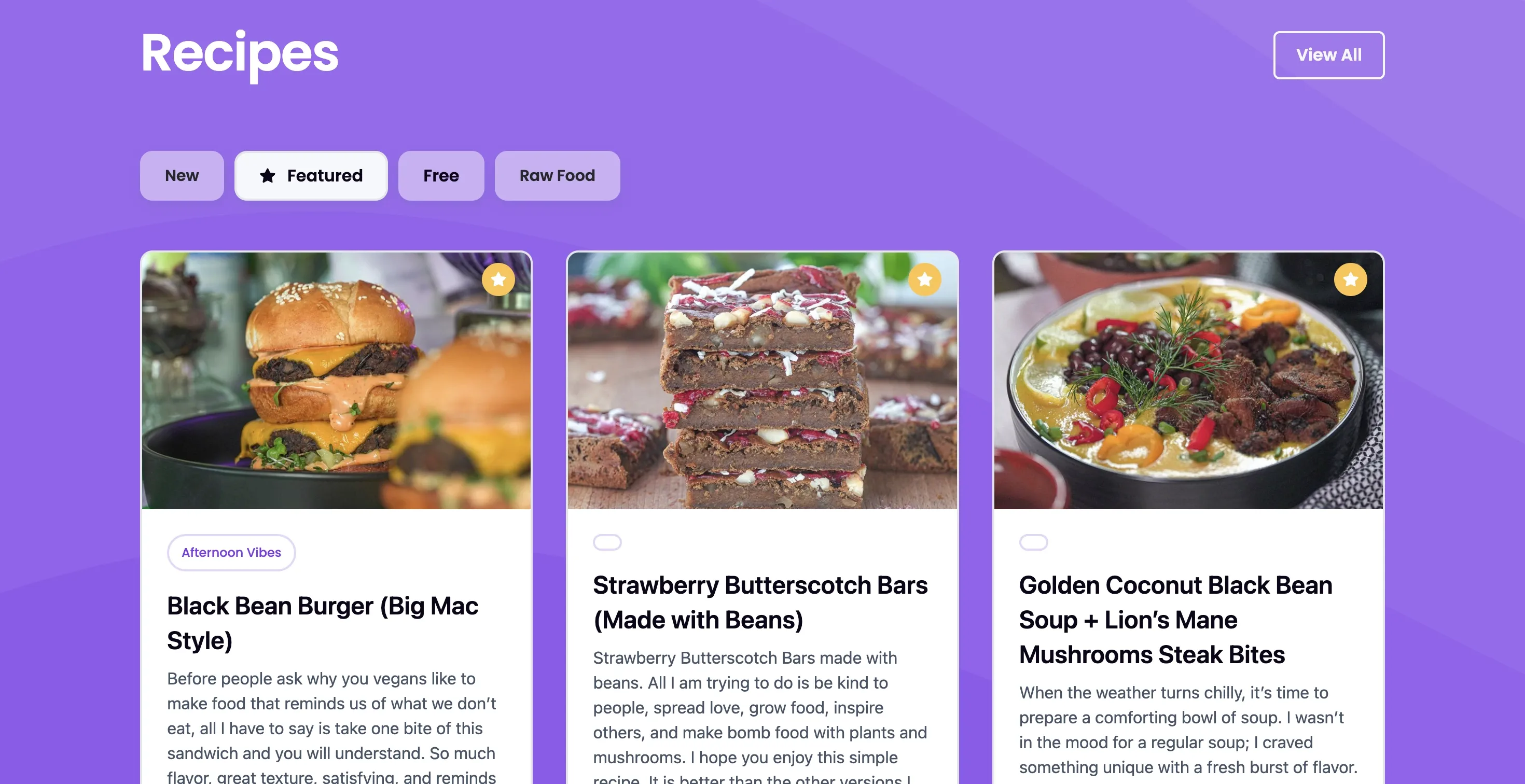
Turnip Vegan Recipe Club uses Webflow and Memberstack to turn a strong food brand into a recurring membership product.
Webflow handles the visual experience and recipe content. Memberstack handles who can access the club and which plan they belong to. The combination means the site can feel completely custom without building authentication and billing from scratch.
That is the sweet spot: the value is in the content and brand, not in inventing a new account system.
Good uses for Webflow + Memberstack
This setup is a strong fit for:
- Paid content libraries
- Recipe or fitness clubs
- Small course collections
- Resource memberships
- Member directories
- Simple client portals
- Job boards or communities at an early stage
- A minimum viable product that needs to launch quickly
It works best when access rules are understandable. For example: free members see the starter library, paid members see everything, and administrators manage content in Webflow.
Where it starts to strain
Memberstack can go well beyond a basic paywall, but that does not mean every product should be built around it.
Custom development becomes more attractive when you need:
- Complex roles and permissions
- Real-time collaboration or messaging
- A rich activity feed
- Detailed progress tracking across many content types
- Multi-tenant organizations
- Sensitive records with strict compliance requirements
- Heavy business logic or reporting
- Deep integrations that control the product experience
A useful rule is this: if members mainly consume content, Webflow plus Memberstack is worth a serious look. If members create, calculate, coordinate and manage complex work, you are probably building software.
The hidden work in a membership site
The login screen is not the hard part.
Before choosing a platform, plan:
- What happens when a payment fails
- How a member changes or cancels a plan
- Which emails they receive
- How content is organized and searched
- What staff can see about a member
- How refunds and access changes are handled
- What data must be exported if you move platforms
A clean membership experience includes the awkward moments, not just signup.
Memberstack or an all-in-one platform?
An all-in-one course or community platform can be faster when its built-in structure already matches the product. You trade some design freedom for fewer moving pieces.
Webflow plus Memberstack is stronger when brand and presentation matter, the content model is custom, and you want control over the public website.
Neither is automatically better. The right choice is the one that leaves the team with the least manual work after launch.
A quick decision test
Choose Webflow plus Memberstack when:
- The product is content-led
- Plans and access rules are fairly simple
- Stripe is suitable for payments
- The marketing site and member experience should share one design
- Your team wants to manage content visually
Consider custom development when:
- The member area is the product
- Users need complex workflows or collaboration
- Permissions change by organization, role or project
- Reporting and integrations are central
- The roadmap already looks like software
If you are planning a membership site, I can help separate the simple version from the features that actually require custom code. See the Turnip Vegan Recipe Club project or read about my web development work.