


 Which emails are sent
Sign-in links, invites for your team and emails from other apps like Forms.
Once Emails is connected, every email your website sends goes through it, from your own address.
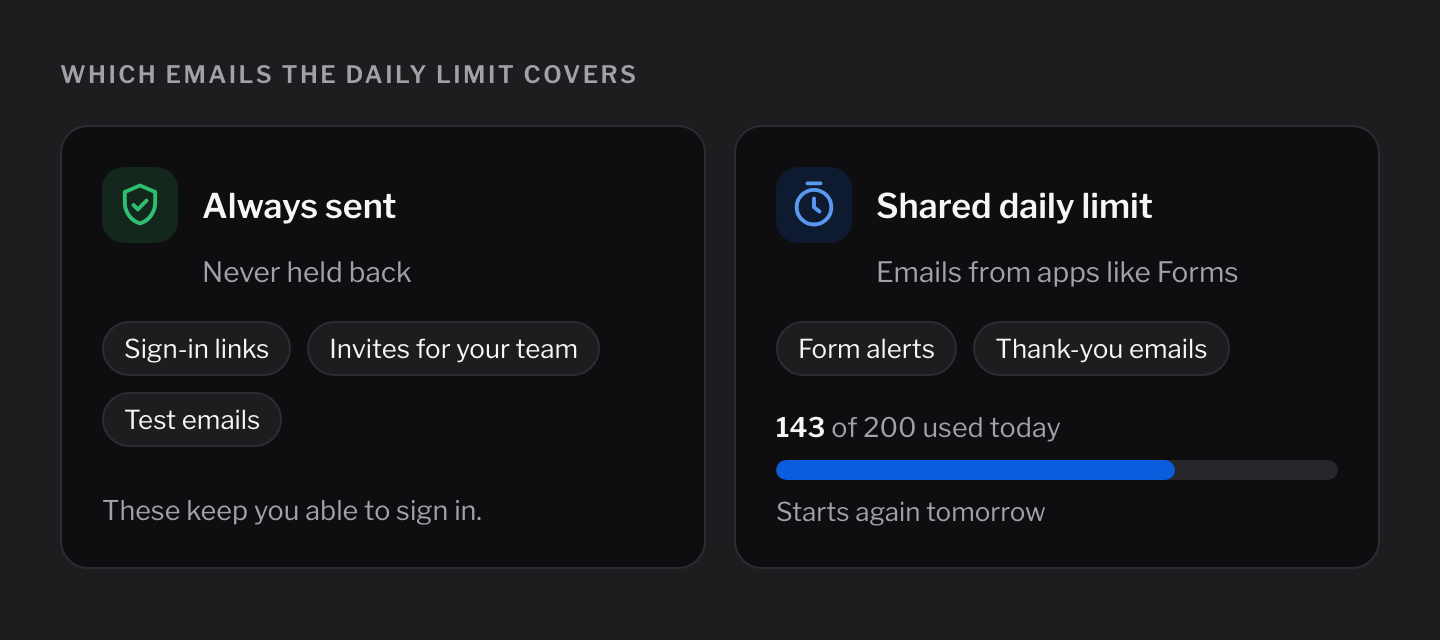
Always sent
These always go out, whatever the daily limit says:
- Sign-in links for you and your team
- Invites when you add someone to your admin
- Test emails you send yourself
Emails from other apps
Apps like Forms send emails through Emails too:
- A message to you when someone fills in a form
- A thank-you email to the person who filled it in
These share a daily limit of 200 emails.
When the limit is reached, the rest of the day's app emails wait until tomorrow. The Overview tab shows a warning.
Change the daily limit
- Open Emails in your admin.
- Click the Settings tab.
- Change the number under Daily limit.
- Click Save.
See what was sent
- Overview: how many emails went out this week, and a chart for the last two weeks.
- Sent emails: the latest emails, who they went to and whether they were sent.
Not for newsletters
Emails is for your website's own emails. Cloudflare doesn't allow newsletters or marketing emails, so use a newsletter service for those.